First thing is to look at the instructions on how to find things.
If you want someone else to add an MSDS, email a pdf or send a request to admin@stratussafety.net and it will be added to the files.
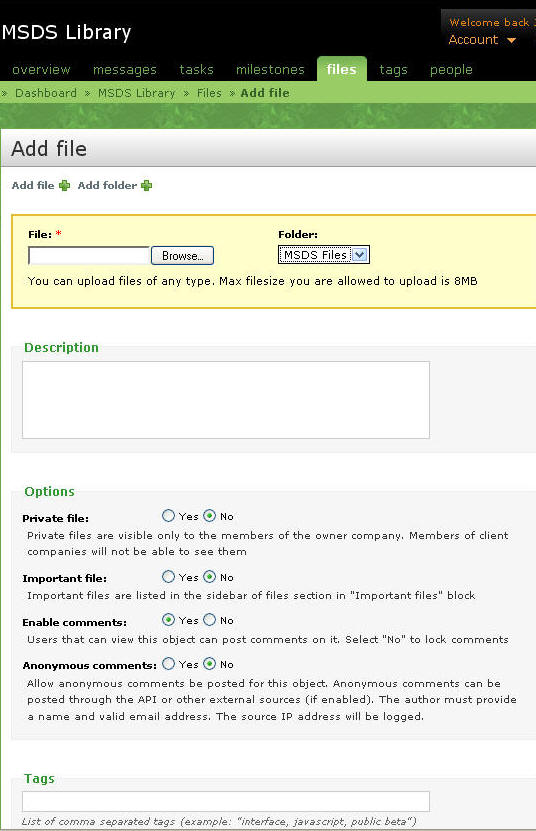
Select the "MSDS Library" project, click "files" in the top ribbon, click "add a file" (next to add a folder), and you will see this.
Browse for the file you have saved.
Select the MSDS Files folder
Select the options shown.
You can add tags to make searches easier. For example, for an grout you could add "grout", "bentonite", "seal" or terms relating to the material.